FE690 Collage the Dog: Creating Photo Collages in Photoshop
In this class you will learn the Photoshop tools and techniques that I have been using to create photo collages for my clients for over 20 years. The great thing about collages is you can make them with ANY subject, not just dogs. You can make a collage of your family photos or birds or wildlife or other pets -- if you can photograph it, you can collage it!
Course Details
Collages can be created with photos from any source, from DSLR's and mirrorless cameras, to cell phone cameras, and even scans of old photographic prints!
NEW in 2023!
I have added lectures for Clone tool, Spot Healing brush, Content-Aware Fill, and other Photoshop retouching techniques, as well as exploring some of the new subject-extraction and AI tools released in the last few months.
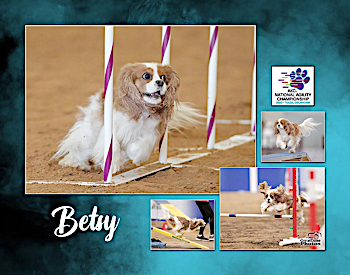
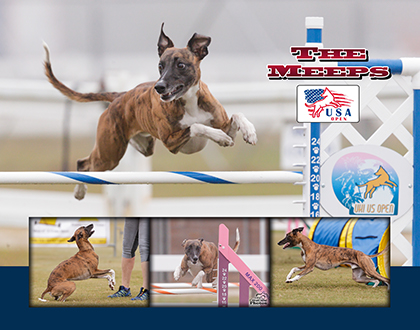
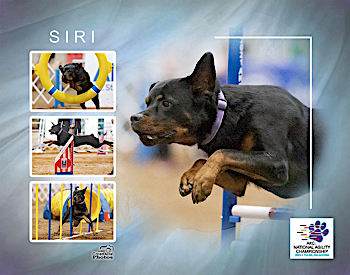
This is a Photoshop skills class. It does not include any elements of photo critique or photography instruction.
Teaching Approach
Due to the nature of the subject, this is a class delivered primarily via demo videos. Videos will have captions. There will be some written lectures as well.
Course material will be released once a week on Tuedays. Students can expect 1-2 assignments per week.
This class will NOT have a TA in the Facebook study group.
Syllabus
Week 1 - Photoshop Tools and Skills
- Photoshop Layers & Masks
- Photoshop Gradient Tool
- Photoshop Text Tool
- Photoshop Layer Styles for Text
- File Management
Week 2 - Basic Blended Collages
- Blending Two Photos
- Adding Text to Collages
Week 3 - Basic Scrapbook Collages
- Photoshop Shape Tool
- Photoshop Layer Fill
- Photoshop Layer Styles for Shapes
- Basic Scrapbook Collage
Week 4 - Adding Complexity to Blends
- Photoshop Brush Tool
- Making Selections and Modifying Backgrounds
- Retouching Tools for Refining Edges
- Blended Collages with 3+ photos
Week 5 - Creating and Using Collage Templates
- Sources of Templates
- Template File Management
- Respecting Terms of Use
Week 6 - Continued Practice Creating Collages
- No new material released
- Students work on personal collage projects with input and help from Amy
Prerequisites & Supplies
Sample Lecture
This is a video lecture from the end of Week 2.
Instructor
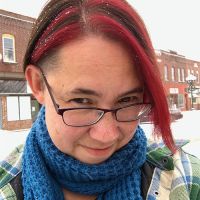
Amy Johnson
Faculty
Amy Johnson (she/her) is the official show photographer for many of the premier agility events in the United States, including the AKC National Agility Championships, AKC Agility Invitational, USDAA Cynosport World Games, UKI US Open, and NADAC Championships, as well as numerous local trials, regional events, and breed national specialties. She has photographed a wide variety of dog sports, including agility, obedience, rally, and conformation. (Click here for full bio and to view Amy's upcoming courses.)...